
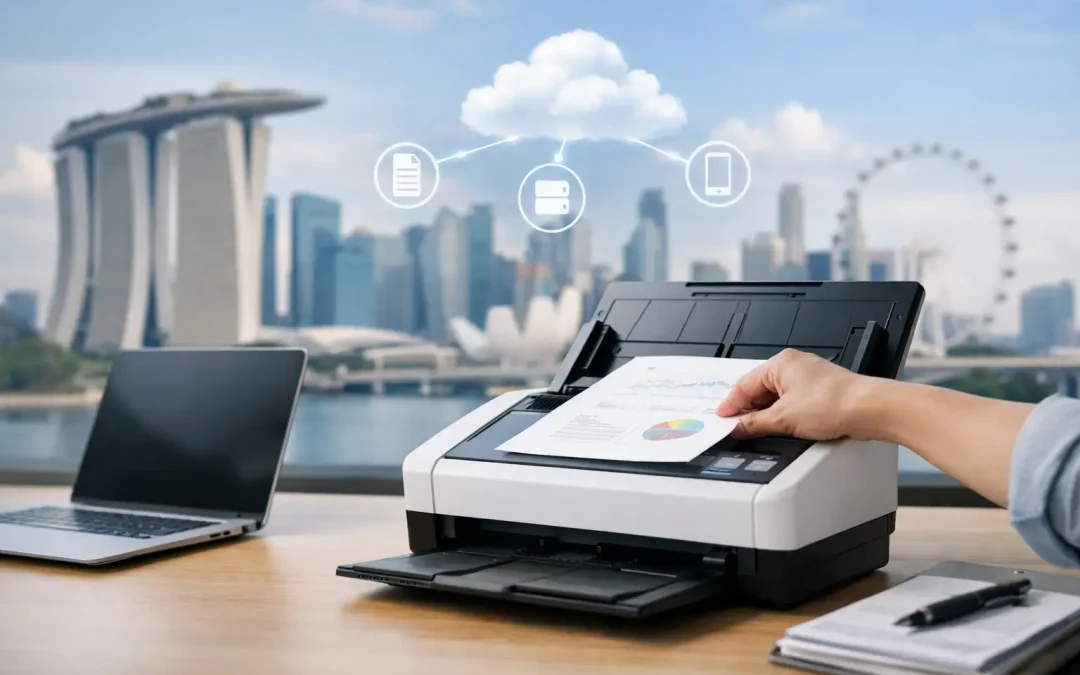
A signed delivery order sits on a desk waiting for someone to scan it. An invoice needs approval, but the approver is at a client site. A project file is saved on one employee’s desktop, where nobody else can find it. These small delays add up quickly. A well-planned scan to cloud Singapore solution gives small and mid-sized businesses a practical way to move documents from paper into the workflows where work actually happens.
The objective is not simply to create digital copies. It is to route information to the right folder, team, system, or decision-maker with less handling, stronger control, and a clear record of what happened. For an operations-heavy business, that can mean faster billing, fewer missing documents, and more time for work that drives revenue.
Why Paper-Based Filing Slows Business Growth
Paper is rarely the only problem. The larger issue is the manual process built around it. An administrator receives a document, scans it to email, renames the attachment, saves a copy, forwards it for approval, and later searches through inboxes to confirm whether action was taken. Each step creates room for delay, inconsistent filing, and duplicate versions.
Cloud scanning replaces that fragmented chain with a defined process. A multifunction device can scan a document directly to an approved cloud destination, such as a shared department folder or document management environment. Staff can retrieve the file from authorized devices, including when they are working offsite, without relying on a physical cabinet or a single employee’s inbox.
For Singapore SMEs, this matters when teams are lean and roles overlap. An office manager may also support finance. A director may approve purchases while moving between meetings. Field teams may need to submit signed forms before the office can issue an invoice. Faster access to information helps these teams maintain momentum without adding administrative headcount.
Scan to Cloud Singapore: Start With the Workflow
The strongest scan to cloud setup starts with business requirements, not a device specification. Buying a multifunction printer with cloud features is only the first step. The value comes from deciding what should happen after the scan button is pressed.
Begin by identifying the document types that create the most friction. Common examples include supplier invoices, purchase orders, customer contracts, delivery orders, employee claims, job sheets, and compliance records. Then map the path each document takes from receipt to final storage. This reveals where files are delayed, misplaced, or manually entered more than once.
Define a useful destination for every document
A cloud folder named “Scans” may be convenient at first, but it soon becomes another digital pile. Documents should land in a location that reflects how your team works. Finance records may go to a folder structure organized by vendor and month. Project documents may be routed by client or job number. Human resources records should have more restricted access than general administrative files.
Naming conventions also matter. A consistent format, such as document type, company name, reference number, and date, makes retrieval far easier. For example, an invoice file that includes the vendor name and invoice number can be found in seconds rather than reopened repeatedly to check its contents.
Where document volume is high, optical character recognition can add further value. OCR converts scanned text into searchable data, allowing staff to search within documents rather than depending entirely on filenames. It can reduce the time spent locating a specific clause, purchase order number, or customer record. However, OCR accuracy depends on document quality, handwriting, language, and layout, so it should be tested against real business documents before it becomes a critical step.
Make routing simple enough for daily use
A process only improves productivity if employees can follow it consistently. The device interface should present clear choices, such as “Scan Invoice,” “Scan Delivery Order,” or “Scan Contract,” rather than a long menu of technical settings. Each choice can apply the right file format, destination, naming rule, and scan quality automatically.
This approach lowers training time and reduces the risk of a sensitive file being sent to the wrong location. It also helps standardize records when different employees handle the same type of document. A receptionist, warehouse coordinator, and accounts executive can follow one approved process instead of inventing their own filing habits.
Build for Speed Without Losing Control
Faster document movement should not mean open access for everyone. Cloud-based filing needs clear permissions, retention rules, and accountability, particularly when files contain customer details, financial information, or employee records.
Start by separating access according to job responsibility. A sales team may need to view signed quotations but not payroll documents. Accounts staff may need invoice access but not confidential employee files. Role-based access reduces unnecessary exposure while making it easier for people to find the files relevant to their work.
Your cloud provider and scanning environment should also support secure user authentication. Depending on the business setup, employees may sign in at the device with a password, card, or approved account. This creates a record of who scanned documents and helps prevent unauthorized use of office equipment.
For Singapore businesses, data protection obligations under the Personal Data Protection Act should be part of the planning discussion. The question is not only where documents are stored, but who can access them, how long they are retained, and what happens when an employee leaves. Sensitive documents should not remain indefinitely in shared folders simply because nobody owns the cleanup process.
A sensible retention policy balances compliance, operating needs, and storage cost. Keep the records required for finance, contracts, or regulatory purposes, then define a process for archiving or securely deleting files that no longer serve a business purpose. If your organization works with clients in regulated industries, additional requirements may apply, so the setup should reflect those obligations rather than rely on generic settings.
Choose Technology That Fits the Office
A scan to cloud system is most effective when the device, cloud platform, and workflow design work together. The right multifunction device should deliver reliable scanning speed, clear output, and the ability to handle the paper sizes and volumes your team uses. A business processing occasional signed forms has different needs from a construction firm scanning stacks of job sheets every day.
Consider the practical details that affect adoption. Automatic document feeders reduce repetitive handling for multi-page records. Duplex scanning captures both sides of a document in one pass. Custom scan buttons reduce errors. Centralized device management helps administrators monitor usage and maintain consistent settings across multiple locations.
The cloud environment matters just as much. Your team may already use a platform for collaboration and file storage, which can make adoption easier. In other cases, a dedicated document management solution may be worth considering because it provides stronger workflow controls, version history, approval paths, or integration with accounting and custom business software.
There is no universal answer. A simple cloud-folder workflow can be an excellent starting point for a smaller company with predictable paperwork. A business with complex approvals, multiple branches, or high document volume may need more structured automation. The key is to invest at the level of complexity that produces a measurable return, not complexity for its own sake.
Turn Scanning Into an Operational Advantage
Once documents reach the cloud, the next opportunity is to connect them to the rest of the business. An invoice can trigger an approval request. A signed delivery order can notify finance to prepare billing. A completed job sheet can update a project record. These connections reduce the gap between receiving information and acting on it.
This is where a consultative technology partner can make a meaningful difference. CSS Office Solutions can align Fujifilm multifunction devices with cloud filing, custom workflow design, and broader digital systems so the office does not operate as a collection of disconnected tools. The goal is to elevate everyday document handling into a process that supports faster decisions and more dependable service.
Before rolling out the system across the company, test it with one high-impact workflow. Choose a process that is repetitive, visible, and easy to measure, such as supplier invoice processing or delivery order filing. Track how long it takes to scan, route, approve, retrieve, and archive a document before and after implementation. Also record error rates, missing-file incidents, and staff feedback.
A short pilot gives the business room to refine folder structures, permissions, and device shortcuts before the process becomes standard. It also creates evidence for the investment. When leadership can see that invoice turnaround has fallen from days to hours, or that staff no longer spend time searching for paperwork, the business case becomes concrete.
Make Every Scan Lead to Action
The best cloud scanning process is almost invisible to employees because it removes unnecessary decisions from their day. A document is scanned once, sent to the right place, found when needed, and connected to the next task without chasing paper or email attachments.
Start with the document bottleneck your team feels most often. Solve that workflow properly, measure the result, and build from there. Each improved process gives your business more capacity to serve customers, control costs, and grow with confidence.