
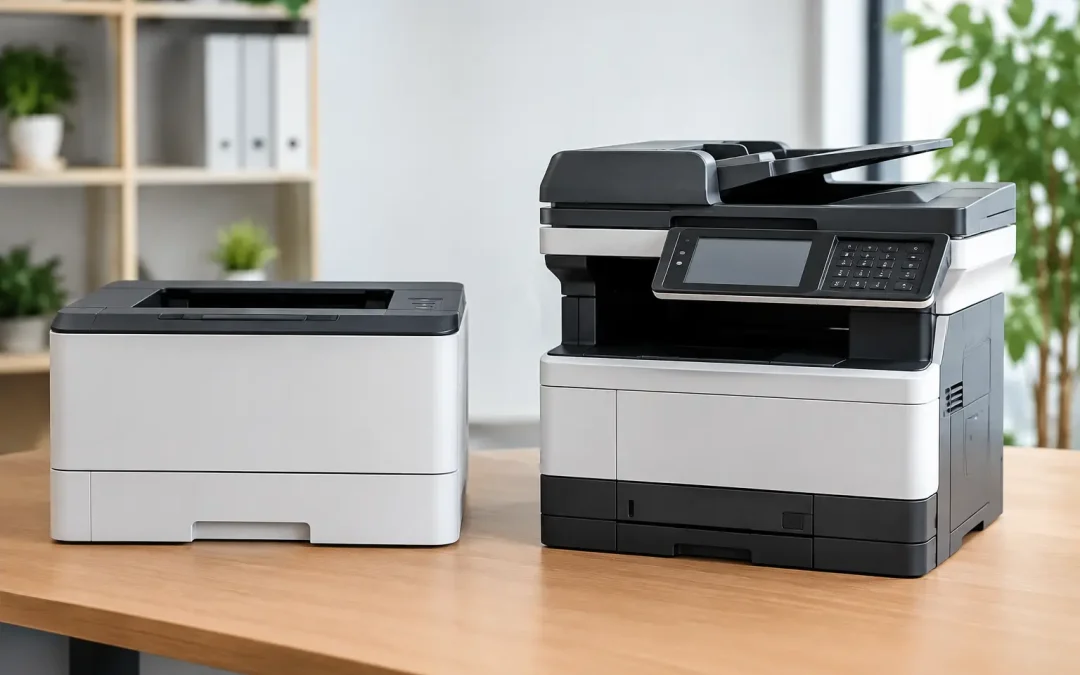
A purchasing decision that begins with “we just need something to print” can quickly become an operational bottleneck. The choice between a laser printer versus multifunction device affects how your team handles invoices, contracts, delivery orders, customer forms, and records every day. For a growing small or mid-sized business, the right device should do more than produce clean pages. It should reduce manual work, control costs, and support a more organized workflow.
A standalone laser printer can be the smarter option in the right environment. A multifunction device, often called an MFD or MFP, can deliver far greater value when printing is only one step in a wider document process. The best choice depends on your workload, team habits, security needs, available space, and growth plans.
Laser Printer Versus Multifunction Device: The Core Difference
A laser printer is built primarily for fast, reliable printing. It uses toner rather than liquid ink, making it well suited to offices that print high volumes of text documents, reports, labels, and forms. Many models are compact, straightforward to operate, and cost-effective when their role is limited to printing.
A multifunction device combines printing with scanning, copying, and, in some configurations, faxing and advanced document-routing functions. Modern business-grade MFDs can scan a stack of papers, convert documents to searchable files, send them to designated email addresses or folders, and apply user permissions at the device.
That difference matters because paper is rarely the final destination. A purchase order may need to be scanned, approved, stored in a customer record, and shared with accounts. A signed agreement may need to reach a project team immediately. If employees print and scan only occasionally, a laser printer plus a small desktop scanner may be sufficient. If documents move through several people or systems, a multifunction device can eliminate repeated, low-value handling.
When a Standalone Laser Printer Makes Business Sense
A laser printer is a focused tool, and that focus can be an advantage. It is often the better fit for a small workgroup that produces a steady volume of print-only documents and already has another reliable method for scanning.
For example, a warehouse office may need to print pick lists, packing slips, shipping labels, and daily reports quickly. A compact monochrome laser printer near the work area prevents staff from walking to a central device and keeps a simple, time-sensitive process moving. A reception desk that only prints visitor forms and appointment schedules may have similar needs.
Standalone printers also work well when you need to distribute printing across several locations. Rather than sending every job to one central machine, placing smaller printers close to active teams can reduce wait times. This approach is especially practical when each team has a narrow, predictable printing requirement.
The trade-off is that printing remains separate from document capture and workflow management. Employees may scan paperwork using personal devices, email attachments back and forth, or save files under inconsistent names. Those small gaps become expensive when they create missing records, duplicate entries, or approval delays.
Where a Multifunction Device Creates Greater Value
A multifunction device is usually the stronger investment for offices where paper documents are still part of daily operations. Its value is not limited to copying. It creates a central point for turning physical information into usable digital records.
Consider an operations team processing supplier invoices. With a business MFD, staff can scan multiple invoices through an automatic document feeder, send them to a shared finance folder, and create searchable digital copies. That is faster and more controlled than scanning one page at a time from a desktop unit. It also makes it easier to connect documents with accounting, approval, or custom workflow systems.
For client-facing businesses, color output can matter as well. Sales proposals, training materials, presentations, and marketing collateral often need to look professional without requiring an external print run for every update. A suitable color MFD gives teams more control over urgent, short-run documents while keeping quality consistent.
Multifunction devices can also strengthen accountability. User authentication, print release, activity tracking, and access controls help businesses understand who is printing, copying, or scanning sensitive material. In offices handling employee records, financial documents, legal paperwork, or customer data, this is a practical safeguard rather than an optional extra.
Scanning Is Often the Deciding Factor
Many businesses compare devices based on pages per minute and toner price, then overlook scanning. Yet scanning is often where the largest productivity gains sit.
A basic scanner creates an image file. A more capable MFD can scan both sides of a document automatically, recognize text through optical character recognition, name files according to a defined rule, and route them directly to the correct destination. Those capabilities reduce the time spent searching for documents later and make remote collaboration more reliable.
If your team regularly handles signed forms, delivery documentation, HR records, expense receipts, or compliance files, assess scanning requirements with the same care as printing volume. A device that captures documents properly at the start prevents downstream administrative work.
Compare Total Cost, Not Just Purchase Price
The least expensive device is not automatically the lowest-cost choice. Businesses should look at total cost of ownership over the expected life of the equipment, including toner, servicing, downtime, paper use, energy consumption, and staff time.
A low-cost printer with expensive consumables can become costly as volumes rise. Likewise, an oversized MFD with advanced finishing options may be unnecessary for a five-person office with modest document needs. The aim is to match capacity to actual demand while allowing enough headroom for growth.
Before deciding, review your average monthly print volume and identify seasonal peaks. Ask which documents require color, which must be scanned, and how often staff currently walk documents between departments. Also consider whether your business needs duplex printing, automatic duplex scanning, extra paper trays, mobile printing, or secure print release.
A managed device plan can make costs more predictable by combining equipment, maintenance, supplies, and support into a clear monthly arrangement. This can be valuable for businesses that want to preserve cash flow and avoid surprise service expenses. It also shifts the conversation from buying a machine to maintaining a dependable document operation.
Avoid Buying for Features You Will Not Use
Feature-heavy specifications can distract from real workflow requirements. A high-speed color MFD may look impressive, but it is poor value if your team prints mostly black-and-white invoices and scans only a few pages each week. On the other hand, choosing an entry-level printer for an office that processes hundreds of documents daily can create queues, maintenance issues, and frustrated employees.
Start with the job to be done. A professional services firm may prioritize secure printing and searchable client files. A construction company may need durable output, mobile access, and quick scanning of site documents. A retail head office may need color materials and centralized reporting. The device should support the way your people work, not force them into workarounds.
This is where consultative planning adds value. CSS Office Solutions helps businesses align Fujifilm multifunction office devices with practical workflow goals, from lowering print overhead to digitizing document-heavy processes. The right configuration, placement, and support arrangement can amplify the return on your technology investment.
Choose the Setup That Supports Your Next Stage
Choose a standalone laser printer when printing is your primary need, volumes are clear and contained, and scanning is already handled effectively elsewhere. It is a practical, efficient choice for focused tasks and smaller distributed work areas.
Choose a multifunction device when your business needs to print, scan, copy, secure, and route information from one central platform. It is particularly valuable when teams spend too much time filing paper, chasing approvals, or searching through email attachments for the latest document.
The strongest office setup is not necessarily the one with the most functions. It is the one that removes friction from the work your team repeats every day. Map one real document journey, from arrival to approval to storage, before making your decision. That simple exercise will show whether you need a printer, a multifunction device, or a broader workflow improvement plan.