
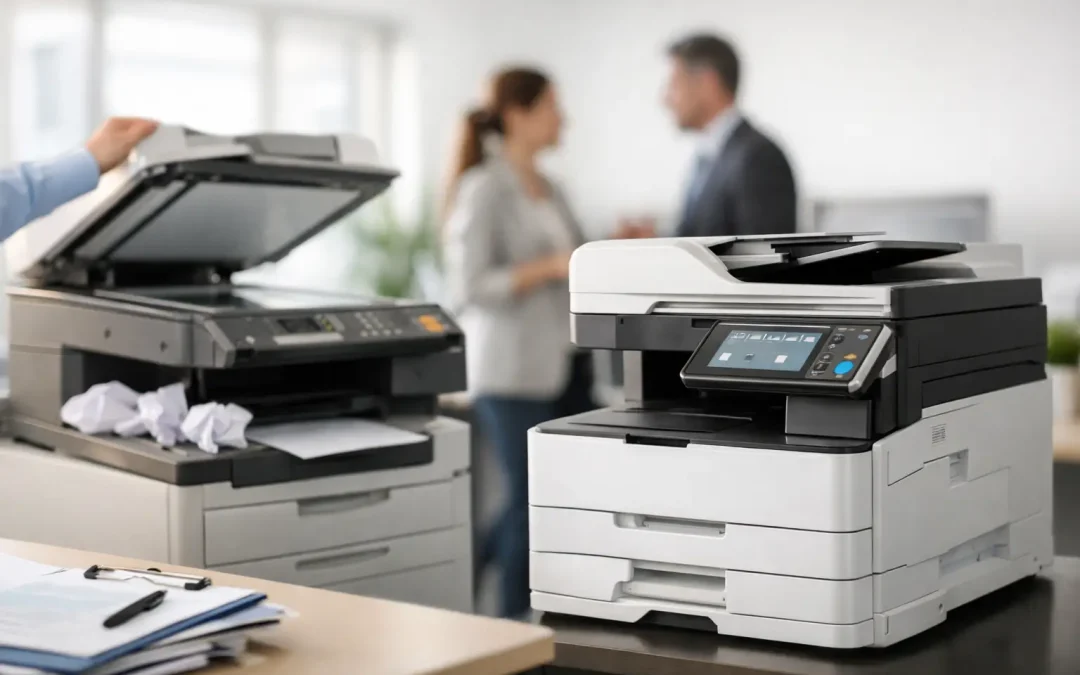
A copier that jams before a client proposal is printed, produces faded invoices, or requires repeated service calls is doing more than frustrating staff. It is slowing approvals, creating avoidable costs, and making routine work harder than it should be. Knowing when to replace office copier equipment is a business decision, not simply an IT or office administration task.
For a growing business, the right multifunction device can become a practical productivity center. It prints, scans, copies, routes documents, and supports better control over daily workflows. The wrong device, however, creates bottlenecks that are easy to overlook because they appear as small delays spread across the team.
The real cost of keeping an aging copier
Many businesses keep an old copier because it is already paid for. That logic can be misleading. The purchase price may be gone, but the operating cost remains – and it can rise sharply as the machine ages.
Start with visible expenses: toner, replacement parts, emergency repairs, and service charges. Then look at the less obvious impact. Staff may spend time clearing paper jams, waiting for slow print jobs, scanning documents one page at a time, or calling vendors when the device goes down. If several employees lose even a few minutes each day, the annual productivity loss can exceed the cost difference between maintaining an old device and moving to a newer one.
An outdated copier can also create document-quality and security concerns. Faded output affects customer-facing materials. Slow scanning delays invoice processing and contract approvals. Older devices may lack modern access controls, user authentication, encrypted data handling, or audit capabilities that help businesses manage sensitive documents more responsibly.
The question is not only, “Can this copier still work?” It is, “Is this copier helping the business operate at the standard we need?”
Signs it is time to replace office copier equipment
No two businesses have the same print volume or workflow. A small professional office may need dependable color documents and secure scanning, while a logistics or construction business may depend on high-volume printing and fast document distribution. Still, several signs usually point to a replacement decision.
Repairs are becoming routine
One service call is normal. Repeated breakdowns are a pattern. If repairs are frequent, replacement parts are difficult to source, or downtime is disrupting essential work, the machine has become a business risk. Ask for a record of recent maintenance costs and compare it with the monthly cost of a newer device plan.
Your team has outgrown the device
A copier selected for a five-person office may not suit a team of 20. Growing print queues, frequent toner changes, slow output, and limited paper capacity are clear capacity problems. The same applies when employees now need to scan documents to cloud storage, email files to clients, or digitize paper records at scale.
Print and scan quality no longer meet expectations
Poor color accuracy, streaks, misaligned pages, and low-resolution scans can affect how your business is perceived. This matters for proposals, marketing materials, architectural drawings, HR documents, and client records. Better output reduces reprints and gives staff confidence that documents are ready to send the first time.
Security and document control are too limited
A shared device should not become an open document tray. Modern multifunction devices can support user-based access, secure release printing, activity tracking, and controlled scanning destinations. These capabilities are especially valuable when teams handle financial data, customer records, employee information, or confidential contracts.
Your workflows are still mostly paper-based
Replacing a copier is a strong opportunity to modernize the process around it. If employees print forms only to scan them back into email, manually rename files, or walk paperwork between departments for approval, the issue is larger than the hardware. A device with fast scanning and workflow features can reduce that friction, particularly when paired with tailored software or document-management processes.
Calculate total cost, not just the device price
The lowest upfront price is rarely the most useful comparison. To make a confident decision, calculate total cost of ownership over the expected life of the device or the term of a managed plan.
Include acquisition or monthly device costs, expected print volume, toner and consumables, maintenance coverage, repair exposure, energy usage, and staff time spent on printer-related problems. A modern device with a predictable monthly cost can make budgeting easier, but ownership may be preferable for businesses with stable requirements and available capital.
Lease, rental, and purchase options each have a place. A flexible device plan can reduce initial spending and allow a business to match equipment costs to monthly cash flow. Buying may work well for organizations that want long-term control and have clear volume requirements. The right choice depends on your financial approach, anticipated growth, and how quickly your operational needs may change.
Do not assess print costs in isolation. If a device enables faster scanning, reduces outsourced printing, lowers rework, and shortens approval cycles, those operational gains should be part of the return-on-investment calculation.
Choose a device around your actual workflow
The best copier is not necessarily the model with the most features. It is the one that fits the way your people work now while giving the business room to grow.
Begin by reviewing a typical week. How many pages do you print? How many employees use the device? Is color printing essential? Do teams scan large batches of invoices, delivery orders, or signed forms? Do remote staff need secure digital access to scanned documents? These answers help determine the right print speed, paper capacity, finishing options, and scanning capability.
For most small and mid-sized businesses, a multifunction device is more valuable than a basic printer because it brings several daily tasks into one managed system. Look for practical capabilities such as automatic double-sided printing, high-capacity document feeders, searchable scan formats, mobile printing, and user authentication. If departments regularly prepare contracts, reports, or presentation materials, finishing features such as stapling or booklet production may also reduce outside printing costs.
Device reliability matters as much as specifications. A fast copier is of little value if service response is slow or supplies are difficult to obtain. Choose a provider that can assess your environment, recommend an appropriately sized Fujifilm multifunction device, configure the setup, and provide support when the office needs it.
Turn replacement into a workflow improvement project
A copier replacement should not be treated as a simple swap. It is a chance to remove repetitive work that has become normal over time.
For example, accounts teams can scan supplier invoices directly into a structured digital process instead of sending attachments across multiple inboxes. Sales teams can securely print proposals when they arrive at the office rather than leaving documents unattended on a shared tray. Operations teams can digitize delivery records more quickly, making it easier to find documents when customers or auditors request them.
This is where a consultative approach creates greater value. CSS Office Solutions helps businesses look beyond the device itself by aligning office hardware with software, document processes, and wider operational goals. The objective is not simply to install a new machine. It is to elevate how information moves through the business.
Before installation, map the people, documents, and common tasks connected to the current copier. Identify where papers are lost, where approvals stall, and where staff duplicate work. Then configure scan destinations, permissions, device defaults, and user training around those realities. Even modest adjustments can amplify the value of the new equipment.
Plan the change without disrupting the office
A well-managed replacement should cause minimal disruption. Schedule installation outside peak operating hours where possible, confirm network requirements in advance, and decide how the old device will be removed or disposed of. Secure handling matters because copiers may retain stored data from previous print and scan jobs.
Staff training should be practical and brief. Show users how to release secure print jobs, scan to approved destinations, load paper correctly, and request supplies or support. Administrators should also understand basic usage reporting and access settings. Adoption improves when employees see how the new process saves them time on work they already do.
Avoid choosing a device based solely on a vendor brochure or a single monthly price. Request a needs assessment, share realistic usage data, and ask what happens if your print volume rises. A scalable recommendation protects your business from repeating the same replacement decision too soon.
Choose the next operating standard
The copier in your office influences more work than its footprint suggests. A reliable, properly configured multifunction device gives your team faster access to information, cleaner document controls, and fewer interruptions across the day. Treat the decision as an opportunity to build a more efficient operating standard, then choose technology that keeps pace with where your business is going.