
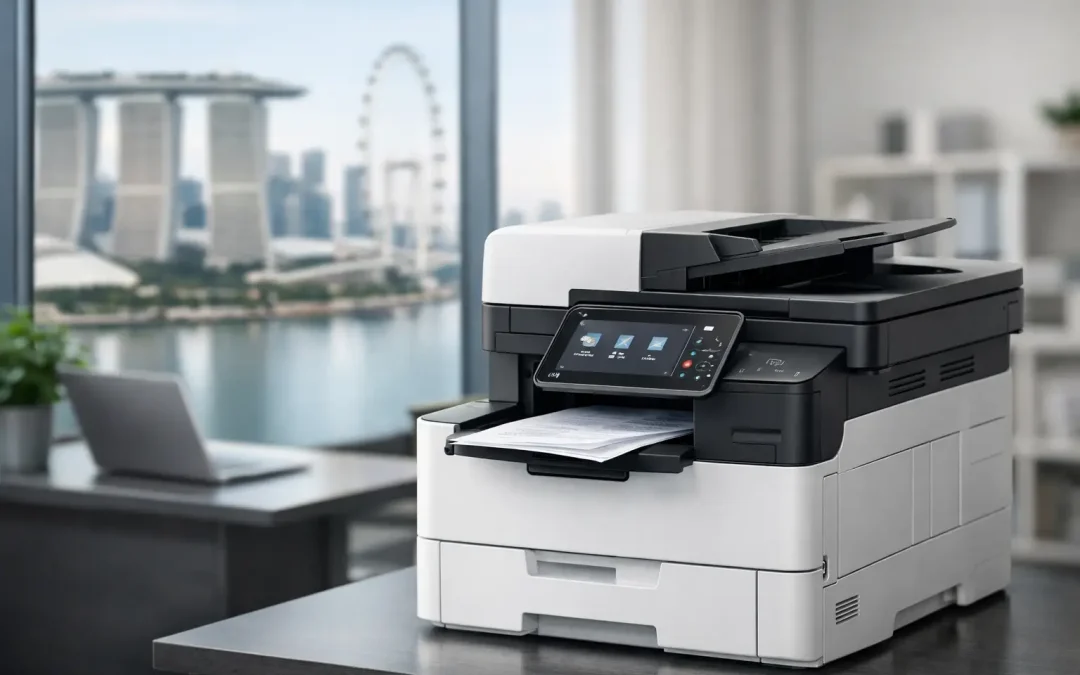
A Fujifilm multifunction printer Singapore businesses choose should do more than produce clean pages. It should remove friction from the work that happens around every document: receiving invoices, approving purchase orders, scanning signed forms, sharing files with clients, and controlling printing costs across teams.
For a growing Singapore SME, the right multifunction device is a practical operational decision. A poorly matched machine creates bottlenecks, wasted supplies, service calls, and avoidable data risks. A well-planned Fujifilm device can elevate everyday office productivity while supporting a larger move toward structured, digital workflows.
What a Fujifilm Multifunction Printer Changes
Multifunction printers combine printing, copying, scanning, and, where required, fax capabilities in one managed device. The value is not simply that several functions sit in the same machine. It is that documents can move faster between paper-based and digital processes.
Consider an operations team handling delivery orders and supplier invoices. If staff scan documents one page at a time, rename files manually, and send them through email chains, small delays quickly become a costly routine. With the right configuration, a Fujifilm multifunction printer can scan documents in batches, send them to predefined folders or email addresses, and apply settings that make records easier to read and retrieve.
That creates a more organized starting point for digital approval workflows, accounting processes, document management systems, or custom business software. The device is not a replacement for process improvement. It is an essential point of connection between the physical documents an office still receives and the digital systems it wants to build.
Choose the Device Around Your Actual Workflow
The most common purchasing mistake is selecting a printer based only on its headline print speed or initial price. Those figures matter, but they do not show whether the device will fit the way your team works at 9 a.m. on a busy Monday.
Start with volume. A small professional office that prints contracts, proposals, and occasional marketing materials has very different requirements from a logistics company processing hundreds of delivery documents every day. Monthly print volume helps determine the appropriate device class, paper capacity, duty cycle, and service arrangement.
Next, look at document mix. Black-and-white printing may be sufficient for internal forms and reports, while client presentations, training materials, retail signage, and sales collateral often benefit from reliable color output. Choosing color only because it seems more versatile can increase ongoing costs unnecessarily. On the other hand, relying on an entry-level monochrome device can limit a sales or marketing team that needs professional materials at short notice.
Scan requirements deserve equal attention. Ask whether staff need to scan double-sided documents, large sets of forms, different paper sizes, or delicate originals. An automatic document feeder and duplex scanning can save significant administrative time when teams process invoices, HR records, customer forms, or project documents in volume.
Match Paper Handling to Daily Demand
Paper handling is easy to overlook until employees are repeatedly refilling trays or feeding specialty media by hand. A business that regularly prints letterheads, invoices, labels, or brochures may need multiple paper trays and compatible finishing options.
Finishing capabilities such as stapling, hole punching, and booklet creation can also be worthwhile for organizations that prepare training packs, tender submissions, internal reports, or client-facing documents in-house. They are not necessary for every SME. The right choice depends on whether these activities happen often enough to justify the investment and reduce outsourced printing costs.
Prioritize Security as Much as Print Quality
Printers process information that is often commercially sensitive. Payroll documents, customer records, contracts, financial statements, and internal reports may all pass through one device. Treating the printer as a basic office appliance leaves a gap in your security plan.
A Fujifilm multifunction printer can be configured with security features that help businesses control access and protect documents. User authentication can require employees to sign in before using selected functions. Secure print features can hold a job until the authorized user releases it at the device, preventing confidential pages from sitting unattended in an output tray.
Administrators should also consider network access, scan destinations, device activity logs, and data handling on the printer itself. The exact controls required depend on your industry and risk profile. A small design studio will have different needs from a healthcare provider, legal firm, or company managing regulated customer information. What matters is making security settings part of implementation, rather than an afterthought once the device is already in use.
Calculate the Cost Beyond the Purchase Price
The lowest upfront device price is rarely the lowest cost over its working life. A meaningful comparison includes consumables, maintenance, repair response, expected volume, paper waste, energy use, and the administrative time spent managing the machine.
For many SMEs, a flexible device plan can make budgeting more predictable than an outright purchase. This can be particularly helpful when a business is opening a new office, adding employees, or needs a higher-capacity device without placing pressure on cash flow. Ownership may still suit companies with stable requirements and a preference for capital investment. There is no universal answer – the better option depends on financial planning, anticipated growth, and how critical uninterrupted printing is to operations.
Managed support changes the calculation as well. When a printer becomes unavailable, the impact is not limited to the IT team. Sales cannot prepare proposals, administrators cannot process forms, and managers may lose access to time-sensitive records. Responsive maintenance and supply management help protect productivity when staff need the device most.
Connect Printing to Your Digital Transformation Plan
A printer should not operate in isolation from the systems that run your business. The strongest results come when document capture, storage, approvals, and reporting are planned together.
For example, a construction firm may scan site records into structured project folders for faster retrieval. A distribution business may digitize delivery documents and attach them to order records. A professional services firm may use secure scanning and controlled print release to manage client files more carefully. These are practical changes that reduce rekeying, missing paperwork, and time spent searching for information.
CSS Office Solutions approaches Fujifilm office devices as part of a wider technology stack. The objective is not to place another machine in the office. It is to help businesses connect document workflows with customized software, hosting, and the operational systems that support measurable growth.
Ask These Questions Before You Commit
Before selecting a device, make sure your provider can give clear answers about your expected monthly volume, color requirements, scanning destinations, user access controls, paper formats, finishing needs, service response, and total ongoing costs. If the conversation focuses only on a promotional price, the recommendation may not reflect the realities of your office.
It is also worth involving the people who use the device most often. Office administrators understand recurring paper and scan issues. Operations teams know where document delays occur. Finance can identify approval and record-keeping requirements. Their input will help shape a configuration that works in practice, not just on a specification sheet.
Build for the Next Stage of Growth
A Fujifilm multifunction printer is most valuable when it gives your team capacity to work better as the business expands. That may mean faster scanning during peak periods, stronger security for growing client files, additional paper capacity, or a service arrangement that keeps downtime under control.
The goal is not to buy the largest device available. It is to invest in office technology that fits your current workload, supports your next operational milestone, and creates a cleaner path from paper to action. When your documents move with less effort, your people can spend more time serving customers, improving processes, and building the business ahead.