
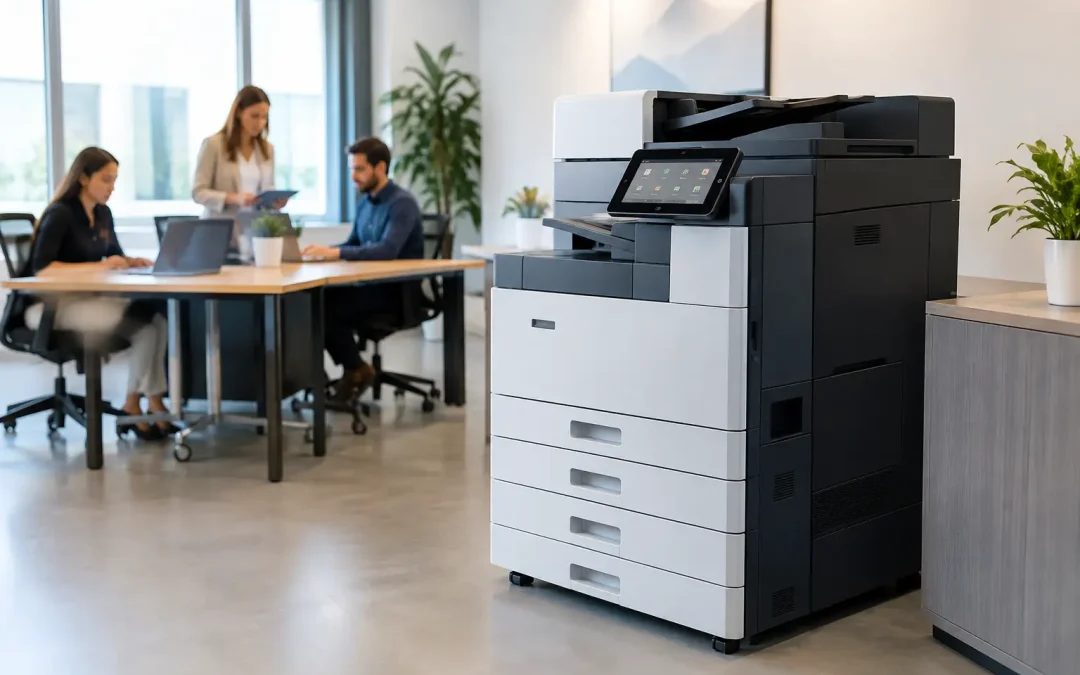
A copier that jams during a client deadline, produces washed-out proposals, or creates scan-to-email bottlenecks is not a small office inconvenience. It is a recurring operational cost. This Fujifilm copier review examines whether Fujifilm multifunction devices are a practical investment for growing businesses that need dependable printing, faster document handling, and a clearer path away from manual processes.
For most small and mid-sized businesses, the right decision is not about buying the fastest machine on a specification sheet. It is about matching device capacity, workflow features, service support, and monthly cost to the way your teams actually work.
Fujifilm Copier Review: Where It Delivers Value
Fujifilm multifunction devices are designed for business environments where printing, copying, scanning, and document distribution happen throughout the day. The strongest case for the brand is not simply output speed. It is the combination of reliable office printing with workflow tools that reduce repetitive administration.
A typical Fujifilm Apeos device can centralize several tasks that are often scattered across desktop printers, standalone scanners, and manual filing practices. Staff can copy invoices, scan signed forms to designated folders, send documents to email recipients, print securely, and manage basic finishing from one controlled device. For an operations team, that consolidation can reduce delays and make document handling easier to standardize.
Print quality is another clear strength. Fujifilm devices generally produce sharp text for contracts, quotations, reports, and internal documents. Color models also perform well for sales collateral, presentations, training materials, and branded client packs. A business that regularly outsources short-run color materials may find value in bringing selected jobs in-house, provided print volume justifies the investment.
The user experience is built for busy offices rather than specialist print rooms. Touchscreen controls, preset workflows, and address-book functions can make routine tasks simpler once the device is configured properly. That last point matters. The machine delivers far more value when scan destinations, permissions, and common document workflows are set up around each department’s needs.
Document workflows matter more than copy speed
Many copier purchases focus too narrowly on pages per minute. Speed matters, especially for finance, logistics, legal, education, and project-based teams that process high document volumes. But a slightly faster device does not solve a workflow problem if staff still scan documents one at a time, rename files manually, or chase approvals through email.
Fujifilm copiers can support more organized document movement. For example, an accounts team may scan supplier invoices directly to a shared folder, while site teams send signed delivery orders to a central operations mailbox. A sales administrator can print a secure proposal only when standing at the device, reducing the risk of confidential documents being left on output trays.
These capabilities are most effective when paired with clear internal processes. A copier cannot replace a document management strategy on its own. It can, however, become a dependable front-end tool within a broader system that includes cloud storage, custom workflow software, and approval procedures.
Print Performance, Usability, and Reliability
For routine business printing, Fujifilm devices are a strong fit. Black-and-white models are well suited to offices producing invoices, purchase orders, work orders, forms, and large internal reports. Color multifunction devices make more sense for customer-facing teams, design-adjacent departments, or businesses that need consistent color without relying on an external print shop for every small job.
Paper handling should be assessed carefully before selecting a model. A compact device may be economical for a small office, but it can become a productivity drain if teams constantly refill paper trays or manually feed envelopes and specialty media. Businesses with multiple paper sizes, frequent duplex printing, or regular booklet production should consider higher-capacity trays and appropriate finishing options from the outset.
Reliability depends on both the device class and how it is used. A machine sized for 3,000 pages per month will not perform at its best if the real volume is 12,000 pages. Overloading a lower-capacity device often leads to more wear, avoidable service calls, and frustrated staff. On the other hand, purchasing an enterprise-scale device for a small team can lock the business into unnecessary monthly costs.
The practical approach is to review actual usage data. Look at monthly mono and color volumes, peak printing periods, paper sizes, scan requirements, and the number of users. A provider should also ask what documents are being printed and why. That conversation may reveal opportunities to reduce printing rather than simply install a larger copier.
Running Costs: The Review Point Businesses Often Miss
The purchase price is only one part of copier ownership. Toner, service, replacement parts, paper, energy use, downtime, and unmanaged color printing can create a far larger cost over the life of the device.
A managed device plan can make monthly costs more predictable by combining the equipment, consumables, and maintenance into an agreed structure. This can be useful for growing companies that prefer to preserve capital for hiring, inventory, marketing, or software development. Buying outright may suit businesses with stable requirements and the ability to manage maintenance separately.
Neither approach is automatically better. The right choice depends on cash flow, expected growth, contract flexibility, and the level of service required. Before signing, ask how overage pages are charged, whether toner delivery is included, what response times apply, and what happens if print volumes change significantly during the agreement.
Color printing deserves particular attention. It is valuable for proposals and customer materials, but unrestricted color use can increase costs quickly. User-level controls, department codes, and print rules can help direct everyday documents to black-and-white while keeping color available where it supports sales, communication, or brand quality.
Security and Control for Shared Office Devices
A multifunction copier is connected to your network and often handles sensitive documents. That makes security a business requirement, not an optional add-on.
Fujifilm devices can support practical controls such as user authentication, secure release printing, access permissions, encrypted data transmission, and audit trails. These features help businesses reduce the risk of confidential payroll information, customer records, contracts, or financial documents being viewed by the wrong person.
Secure print release is especially useful in shared offices. Instead of sending a document directly to the output tray, an employee releases it only after authenticating at the device. This reduces uncollected printouts and gives teams greater confidence when handling private information.
Security settings must be implemented, not merely available. Default passwords should be changed, inactive functions should be reviewed, firmware should be maintained, and user access should reflect job responsibilities. Businesses with compliance obligations or sensitive client data should include their IT team or technology partner in the copier selection and setup process.
When a Fujifilm Copier Is the Right Fit
A Fujifilm copier is a compelling option for businesses that need more than occasional printing. It is particularly suited to teams with regular scanning, structured document workflows, departmental printing needs, and a preference for centralized support.
It may be less suitable for a very small team that prints infrequently and only needs basic documents. In that situation, a simpler printer may provide better value. Likewise, a company with highly specialized production-print needs may require equipment built specifically for commercial print applications rather than a standard office multifunction device.
The key is to avoid treating every office as identical. A construction firm processing site documents has different requirements from a tuition center managing student records or a distributor handling purchase orders and delivery paperwork. Device selection should start with workflow mapping, not a generic product brochure.
Make the Copier Part of a Bigger Productivity Plan
The best copier deployment does more than replace an aging machine. It improves how information moves through the business. When scanning rules, shared folders, custom software, digital forms, and secure printing work together, teams spend less time on filing and rework and more time serving customers.
CSS Office Solutions helps businesses assess those operational details before recommending a Fujifilm device or device plan. The goal is to align office hardware with the systems your team needs to grow, rather than add another disconnected piece of technology.
A well-chosen Fujifilm copier can elevate daily productivity quietly but meaningfully. Start by measuring the friction in your current document process, then choose a device and configuration that removes it where it matters most.