
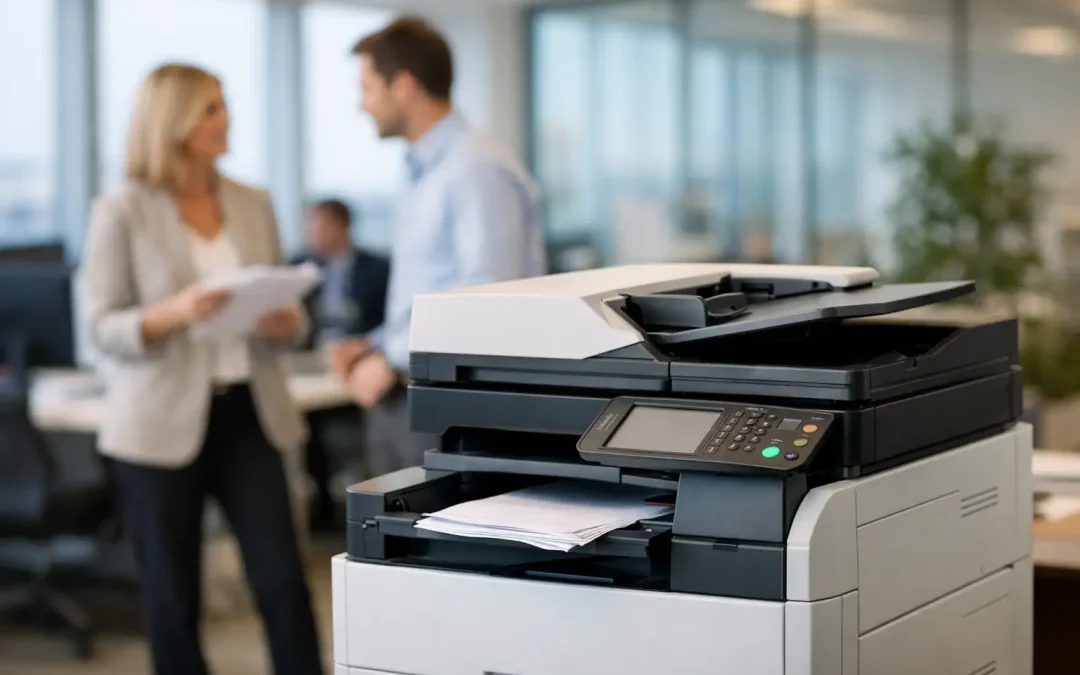
A copier that jams during a client proposal run, cannot scan to the right folder, or creates unexpected monthly charges is more than an office inconvenience. It slows decisions, adds manual work, and distracts your team from revenue-producing tasks. Knowing how to choose office copier equipment means looking beyond print speed and selecting a device that supports the way your business actually operates.
For a growing company, the right multifunction copier can centralize printing, scanning, copying, and document routing in one reliable system. The wrong one can lock you into unnecessary costs or force your team to create workarounds within months. Start with your workflow, then match the technology to your operational goals.
Start With the Work Your Team Does
The most useful copier decision begins with a clear picture of who prints, what they print, and where documents go after they are scanned. An office that mainly prints invoices and internal forms has very different needs from a design firm producing color presentations or a logistics team scanning delivery documents all day.
Look at a typical month rather than relying on a single busy week. Review print volume, color usage, paper sizes, scan volume, and the number of people sharing the device. Also consider the consequences of downtime. If one device supports payroll, customer contracts, and daily dispatch paperwork, reliability and responsive service may matter more than the lowest upfront price.
Ask department leads where paper-based steps are creating delays. A copier is often the front door to a broader document workflow. If employees scan documents only to rename files manually and email them between teams, a faster machine alone will not solve the underlying problem.
Calculate Volume Without Guesswork
Manufacturers commonly state a maximum monthly duty cycle and a recommended monthly print volume. These figures serve different purposes. The maximum duty cycle shows the highest output the device can handle under exceptional conditions, while the recommended volume indicates the range where it should perform reliably over time.
Choose based on the recommended volume, with room for seasonal peaks and business growth. A company printing 8,000 pages each month should not select a device recommended for 8,000 pages simply because the numbers match. It is wiser to allow capacity for a major tender, year-end reporting, new hires, or higher customer demand.
Volume also affects cost. Smaller desktop devices may appear economical but can become expensive when used beyond their intended workload. High-volume office copiers generally offer a lower cost per page, larger toner yields, and fewer interruptions for refills. The trade-off is a higher monthly commitment or purchase price, so the device must fit a genuine need rather than an assumed one.
Do You Need Black-and-White or Color?
Black-and-white output is usually more economical for routine records, forms, and internal documents. Color can be essential for sales materials, presentations, plans, product sheets, and customer-facing communications. Many businesses benefit from a color multifunction copier with user controls that restrict unnecessary color printing.
This approach gives customer-facing teams the quality they need while helping management control print spend. Review whether certain jobs can default to black and white, duplex printing, or draft mode without affecting usability.
Prioritize Scanning and Document Routing
For many small and mid-sized businesses, scanning is now more valuable than copying. A capable multifunction device can convert paper documents into usable digital records, reducing filing cabinet dependence and accelerating approvals, accounts processing, and customer service.
Assess the document feeder carefully. A high-capacity, single-pass duplex feeder scans both sides of a page in one pass. This can save substantial time for teams processing contracts, purchase orders, invoices, employee files, or application forms. If documents often arrive in mixed sizes or poor condition, ask how the feeder handles those materials before committing.
The destination matters just as much as scan speed. Your copier should support the places your team works, such as email, network folders, approved cloud storage, or line-of-business systems. Simple one-touch workflows can make a major difference. For example, an accounts employee should be able to scan an invoice to the correct folder or workflow with minimal manual naming and routing.
If you are planning custom software or a wider digitization initiative, choose a device that can integrate into that future state. The copier should strengthen your business system, not become an isolated piece of hardware.
Evaluate Security as a Business Requirement
Office copiers store, transmit, and process sensitive information. That may include customer records, financial documents, employment information, commercial agreements, and internal reports. Security should be part of the purchasing discussion from the start, particularly for businesses with compliance obligations or multiple departments.
Look for user authentication, secure print release, encrypted data transmission, access controls, audit logs, and data overwrite capabilities. Secure print release is especially useful in shared offices: documents only print when the authorized employee reaches the device and authenticates. This reduces the risk of confidential papers being left in output trays.
Security also depends on configuration and ongoing management. Default passwords, unrestricted scan-to-email settings, and outdated firmware can create avoidable exposure. Work with a provider that can help configure the device around your policies and maintain it over its working life.
Compare Total Cost, Not Just the Monthly Price
A low advertised rate can hide the real cost of ownership. When comparing office copier proposals, examine the complete commercial picture: device price or lease payment, print allowances, cost per additional page, toner, maintenance, repairs, delivery, installation, and contract terms.
Ask how color pages are counted, what happens when your volume changes, and whether unused print allowances roll over. Confirm whether service includes replacement parts and how quickly an engineer can respond if the device fails. For a business that depends on daily document output, a slightly higher rate with dependable service may offer better value than a cheaper plan with lengthy downtime.
Also consider indirect costs. A device that requires frequent manual intervention consumes employee time. A copier with efficient finishing, automatic duplexing, large paper trays, and dependable scanning can reduce repetitive tasks across the office. Those gains are often more meaningful than a small difference in the equipment quote.
Lease, Buy, or Use a Flexible Device Plan?
Buying may suit businesses that have capital available, predictable needs, and a plan to keep the device for several years. Leasing or a flexible device plan can preserve cash flow and make it easier to access current technology, service coverage, and future upgrades.
There is no universal best choice. The practical question is whether the arrangement supports your budget, expected usage, and technology roadmap. Read the agreement closely, particularly the minimum term, early termination conditions, included service, and options at the end of the contract.
Make Sure the Copier Fits the Physical Office
A device can be technically capable and still create friction if it does not fit your workspace. Measure the intended area, including room for paper loading, service access, ventilation, and staff movement. Consider noise levels if the copier will sit near customer-facing teams, meeting rooms, or focused work areas.
Paper capacity deserves attention as well. Multiple trays can reduce the need to switch between letterhead, plain paper, labels, and different sizes. Finishing options such as stapling, hole punching, or booklet creation can be valuable for organizations that regularly prepare training materials, proposals, or internal packs. They are not essential for every office, so select features based on recurring tasks rather than occasional requests.
Choose a Partner, Not Only a Device
The copier model matters, but implementation and support determine whether it delivers measurable results. A strong provider will ask about your departments, document volume, applications, security expectations, and growth plans before recommending a configuration. They should also explain the trade-offs in clear business terms.
Before deciding, request a practical demonstration using documents similar to your own. Test scan quality, speed, user authentication, mobile printing if needed, and the steps required to send files to your preferred destinations. This is where hidden workflow limitations usually become visible.
CSS Office Solutions helps businesses evaluate Fujifilm multifunction devices as part of a larger productivity strategy, connecting everyday document work with scalable digital processes. The objective is not simply to place a copier in the office. It is to reduce friction in the work that follows every print, scan, and approval.
A well-chosen copier should quietly elevate the pace of your operation: fewer interruptions, faster access to information, stronger document control, and more time for your team to focus on customers and growth. Choose the solution that meets today’s workload while giving your business room to move forward.