
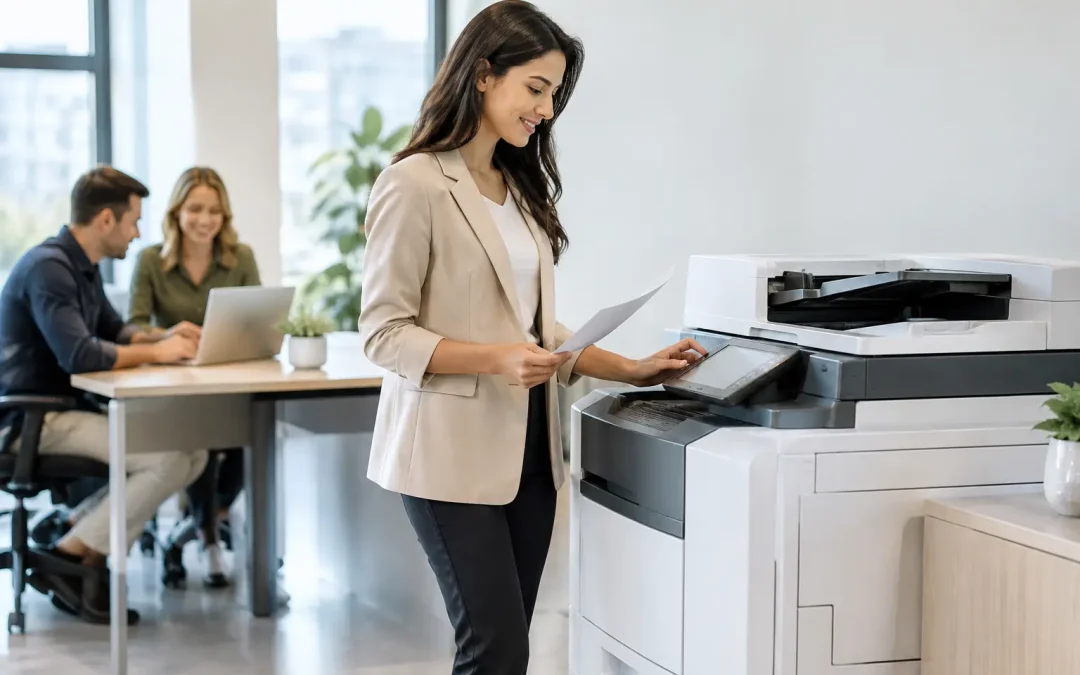
A copier that jams before a client meeting, produces faded invoices, or leaves confidential papers sitting in an output tray is not a minor office inconvenience. It is a workflow problem. The right office copiers reduce friction across finance, sales, operations, and administration, giving teams a dependable point for printing, scanning, copying, and sharing documents.
For a growing business, the decision should go beyond print speed or a low monthly price. A multifunction device becomes part of the operating system of the office. It can shorten approval cycles, convert paper records into usable digital files, control printing costs, and help teams work with greater consistency.
What Office Copiers Should Deliver for a Growing Business
Modern office copiers are multifunction devices, often combining printing, copying, scanning, and optional fax capabilities in one managed unit. That consolidation matters for small and mid-sized businesses. Instead of maintaining separate machines with different consumables, support contacts, and maintenance needs, teams have one reliable platform for daily document work.
The most valuable function is often scanning, not copying. Consider an accounts team processing supplier invoices, a property firm digitizing tenancy documents, or a logistics business filing delivery orders. Fast, clear scanning with automatic document feeding turns a pile of paper into organized files that can move through a digital workflow. When the device can scan directly to email, a designated folder, or a business application, administrative handoffs become faster and easier to track.
Print quality still carries weight. Quotations, proposals, training materials, brochures, and contracts represent the business in front of customers and partners. A device that produces clean text, consistent color, and professional-looking documents protects that impression without requiring every job to be outsourced.
Reliability is equally commercial. A lower-priced device that needs frequent intervention can cost more through wasted paper, employee downtime, emergency servicing, and delayed work. The better question is not simply, “What does this machine cost?” It is, “What will it allow our people to complete without interruption?”
Choosing Office Copiers Around Real Usage
The right specification depends on the work your team performs. A 10-person professional services firm with occasional client presentations has different needs from a 40-person construction company processing daily site reports. Start with actual document patterns before reviewing models.
Print volume and speed
Monthly volume is a practical starting point. Review recent paper purchases, print logs if available, and the departments that handle the highest volume. A machine built for light use may struggle if it is asked to process hundreds of pages every day. Conversely, paying for a high-capacity production device makes little sense for a business that primarily scans and prints short documents.
Speed matters when several staff members rely on one device or when jobs are time-sensitive. However, pages per minute should not be assessed in isolation. First-print-out time, feeder speed, paper capacity, and the device’s ability to handle mixed document sizes can affect the real experience more than a headline speed figure.
Color, paper handling, and finishing
Black-and-white printing may be sufficient for internal forms and operational records. For customer-facing collateral, sales proposals, drawings, and presentations, color output can add clear value. The trade-off is cost per page, so it is sensible to separate everyday internal printing from high-impact client materials where possible.
Paper handling is another commonly overlooked requirement. Teams that regularly use letterhead, labels, envelopes, thick paper, or different paper sizes need trays and settings that support those formats without constant manual changes. If staff frequently assemble training packs, tender submissions, or board documents, finishing options such as stapling and hole punching can remove a repetitive administrative task.
Scanning capability and workflow fit
For businesses moving away from paper-led processes, evaluate the scanner as carefully as the printer. Look at duplex scanning, automatic document feeder capacity, image clarity, and searchable PDF capability. These functions have a direct impact on how quickly records become accessible.
A strong setup should fit the workflow your business wants to build, not force staff into extra steps. For example, scanned invoices can be routed to an accounts folder, while signed forms can be sent to a project-specific location. The device is only one part of the process, but when it is configured properly, it amplifies the value of document management software and custom internal systems.
Security Is a Business Requirement, Not an Add-On
Every office device that stores, processes, or transmits documents needs to be considered in the company’s security approach. Copier hard drives may temporarily store scanned files and print jobs. Uncollected documents can expose payroll information, customer details, commercial proposals, or identification records.
Useful controls include user authentication, secure print release, access permissions, encryption, audit trails, and automatic deletion settings. Secure print release is particularly practical in shared offices: an employee sends a job, then releases it at the device using a PIN, card, or approved method. This reduces abandoned printouts while preventing sensitive documents from being seen by the wrong person.
Security needs should reflect the business. A company handling personal data, financial records, medical information, or legal documentation requires tighter controls than an office printing general internal notices. Still, even smaller businesses benefit from basic governance. Good document practices build client confidence and reduce avoidable exposure as the organization grows.
Buying, Leasing, or Using a Managed Device Plan
There is no universal answer to whether a business should buy or lease an office copier. The right choice depends on cash flow, expected usage, growth plans, and the level of support required.
Buying may suit a stable operation that has clear requirements, available capital, and the capacity to manage consumables and servicing. Ownership can offer long-term value, especially when the device will be used consistently for several years. The trade-off is a larger upfront investment and the risk that the equipment no longer matches business needs as the team expands.
Leasing or using a flexible device plan can preserve capital for other growth priorities, such as software implementation, hiring, or marketing. It also creates predictable monthly costs, which many owner-led businesses prefer for budgeting. Plans often include maintenance and toner arrangements, reducing the burden on an office manager who should not have to chase supplies or coordinate repair work.
Before agreeing to any arrangement, clarify the included print allowance, excess page charges, service response expectations, contract length, upgrade options, and treatment of unused volume. A low headline price can become expensive if the terms do not match the way your team works.
Calculate Total Cost, Not Just the Device Price
The total cost of an office copier includes more than purchase or monthly rental fees. Consumables, maintenance, paper waste, energy use, downtime, excess print charges, and internal staff time all shape the real cost.
A simple cost review can reveal opportunities to control spending. Compare color and black-and-white volumes, identify departments that print the most, and determine whether documents are being printed only to be scanned or filed again. In many cases, a better digital approval process can reduce unnecessary printing while ensuring the documents that do need to be printed are produced efficiently.
Usage reporting helps leaders make decisions based on evidence instead of assumptions. If color printing is concentrated in one department, rules can be adjusted without restricting the whole company. If a particular process generates large volumes of repeat paperwork, that may signal an opportunity for custom software, digital forms, or automated document routing.
Turn the Copier Into a More Productive Workflow Hub
The greatest return comes when the device is planned as part of a connected business system. A capable multifunction device supports the daily movement between physical paperwork and digital operations. It can help a field report reach the operations team quickly, allow accounts to archive invoices accurately, and give sales staff professional materials when they need them.
This requires thoughtful implementation. User permissions should reflect job roles, scan destinations should be clearly named, print defaults should support cost control, and staff should receive practical guidance rather than a manual left beside the machine. Small configuration decisions can create significant time savings over months of use.
CSS Office Solutions helps businesses assess these requirements in the context of their wider operations, pairing Fujifilm multifunction devices with practical workflow and technology planning. The goal is not to add another machine to the office. It is to create a document process that supports measurable efficiency.
Choose a device based on the work your team needs to complete next week and the business you intend to build over the next few years. When document technology is aligned with real workflows, every scan, print, and approval becomes one less obstacle between your people and better work.