
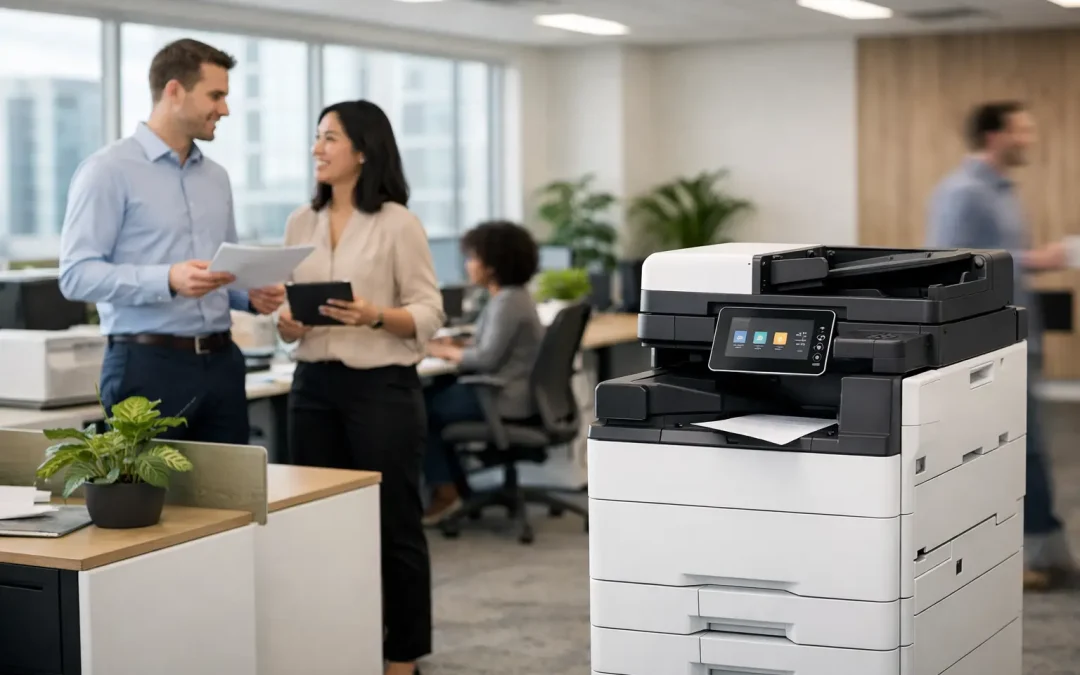
A stalled print job before a client meeting, invoices waiting to be scanned, and staff walking across the office to use separate machines are small frustrations that quickly become operational costs. A Fujifilm Apeos copier gives growing businesses a practical way to bring printing, copying, scanning, and document routing into one managed workflow. The value is not simply faster output. It is the ability to reduce handoffs, protect information, and give teams a more reliable way to handle documents from start to finish.
For Singapore SMEs, the right multifunction device can support a wider modernization plan without forcing the business into an unnecessarily complex technology project. The key is choosing a configuration that matches real document volumes, work habits, and future requirements.
What a Fujifilm Apeos Copier Changes in Daily Operations
A copier is often treated as a basic office purchase. That approach misses where the larger return comes from. Modern multifunction devices sit at the intersection of paper-based work and digital processes. When properly configured, an Apeos device can help employees scan documents directly into the right business folder, send files to approved email addresses, create searchable digital records, and print only when a user is present at the device.
Consider a finance team processing supplier invoices. Without a defined process, invoices may be copied, carried between desks, scanned individually, and saved under inconsistent file names. The delay is not caused by any one person. It comes from a workflow that depends on manual steps. A multifunction copier can standardize the first stage: scan the invoice, apply the right destination and file format, then route it into the process the finance team already uses.
The same principle applies to signed contracts, delivery orders, employee records, quotations, and customer forms. A Fujifilm Apeos copier helps convert paper into usable business information rather than allowing documents to sit in trays, cabinets, or personal inboxes.
Start With Workflow Requirements, Not Print Speed
Print speed matters, especially for teams producing large sets of proposals, training materials, or customer documents. But pages per minute should not be the first question. A better starting point is to identify where document work slows the business down.
An operations manager may need quick duplex scanning for delivery documents. A director may require secure printing for board papers and confidential reports. A customer service team may need color print quality for presentation materials. These needs can exist in the same office, but they do not always require the most expensive device in every location.
Assess real usage patterns
Look at the last three to six months of printing and scanning activity. Identify average monthly page volume, peak periods, paper sizes, color usage, and the number of employees sharing the device. Also consider whether staff work across multiple floors, whether mobile printing is needed, and how often documents must be scanned into cloud storage or shared folders.
This assessment prevents two common mistakes. The first is under-sizing a device, leading to queues, frequent service calls, and premature wear. The second is paying for capabilities that staff will not use. The best fit is based on the workload your office has now, with enough headroom for planned growth.
Match the device to the document mix
A business producing mostly black-and-white invoices has different priorities from a design-led company printing client-facing materials. Color performance, finishing options, paper capacity, and document feeder capability should reflect the work being performed.
For example, a high-capacity feeder can make a meaningful difference for teams scanning batches of contracts or forms. Automatic duplex scanning reduces handling time for two-sided documents. Finishing options may be worthwhile for companies that frequently prepare reports or training packs internally. If these tasks happen only occasionally, outsourcing may still be more cost-effective.
There is no universal best configuration. The right Fujifilm Apeos copier is the one that removes the most expensive bottlenecks without adding complexity to the office.
Security Should Be Part of the Buying Decision
Documents handled by SMEs often contain personal data, commercial terms, payroll information, customer records, and financial details. That makes office printing a security consideration, not just an administrative function.
A properly configured multifunction device can support measures such as user authentication, secure print release, access controls, and activity tracking. Secure release is particularly useful in shared offices. Instead of sending a document directly to an output tray where anyone may collect it, the user releases it only after authenticating at the device.
Scanning also requires attention. A device that can send documents to email or network folders is useful, but destinations should be set up deliberately. Businesses need to know who can scan to which locations, how long scanned files are retained, and whether employees are following a consistent file-naming structure.
Security features only work when they are supported by sensible policies. If every employee shares the same login, or if confidential prints are routinely left unattended, the technology alone cannot solve the problem. A consultative deployment should include user roles, access settings, staff guidance, and a plan for ongoing administration.
The Hidden Cost Is Often Document Downtime
The purchase price of a copier is visible. The cost of disrupted document work is usually not. When a device is unreliable, employees may wait, reprint documents, call for help, or find workarounds that create additional risks. Over time, these interruptions affect staff productivity and make recurring tasks harder to manage.
A device plan with scheduled maintenance, consumables management, and responsive support can make costs easier to forecast. For many SMEs, this is more valuable than chasing the lowest upfront price. A lower-cost device that cannot handle office volume or has unpredictable maintenance needs may create a higher total cost over its working life.
Before deciding between an outright purchase and a flexible device plan, compare the full operating picture. Include expected print volumes, toner and consumables, service coverage, replacement needs, and the business impact of downtime. The right financial structure depends on cash flow preferences, anticipated growth, and how quickly the company expects its requirements to change.
Make the Copier Part of a Scalable Business System
The strongest results come when the device is connected to the way the business operates. A Fujifilm Apeos copier can be a productive starting point for digitization, but it should not become another isolated tool with its own manual workarounds.
For example, scanned documents can support a broader workflow involving document approvals, customer relationship records, accounting processes, or custom internal software. A growing company may begin by standardizing scan destinations and secure printing. Later, it may introduce automated document classification, approval notifications, or a custom dashboard for tracking operational documents.
This phased approach is often more practical than attempting to transform every process at once. It lets the business establish measurable improvements, build staff confidence, and prioritize the next investment based on evidence rather than assumptions.
CSS Office Solutions works with businesses that want this wider perspective. Instead of treating the office device as a standalone sale, the focus is on how hardware, tailored software, hosting, and business processes can work together to improve efficiency and support expansion.
Questions to Ask Before You Commit
A supplier should be able to answer more than product-specification questions. Ask how the proposed device handles your expected monthly volume, which security controls are included, and what support looks like when a critical issue occurs. Clarify whether installation, user training, network setup, scanning workflows, and ongoing device monitoring are part of the arrangement.
It is also worth asking how easily the setup can evolve. If your company opens another location, adds staff, or changes its document management process, will the device and configuration still fit? A copier is a multi-year operational decision, so flexibility matters as much as initial capability.
Finally, involve the people who use documents every day. Office administrators, finance staff, operations personnel, and department heads often know exactly where the delays occur. Their input turns a general equipment purchase into a solution designed around real work.
A well-planned office device should make document handling feel less visible to your team. When printing, scanning, and routing happen reliably in the background, employees can spend more time serving customers, managing operations, and moving the business forward.