
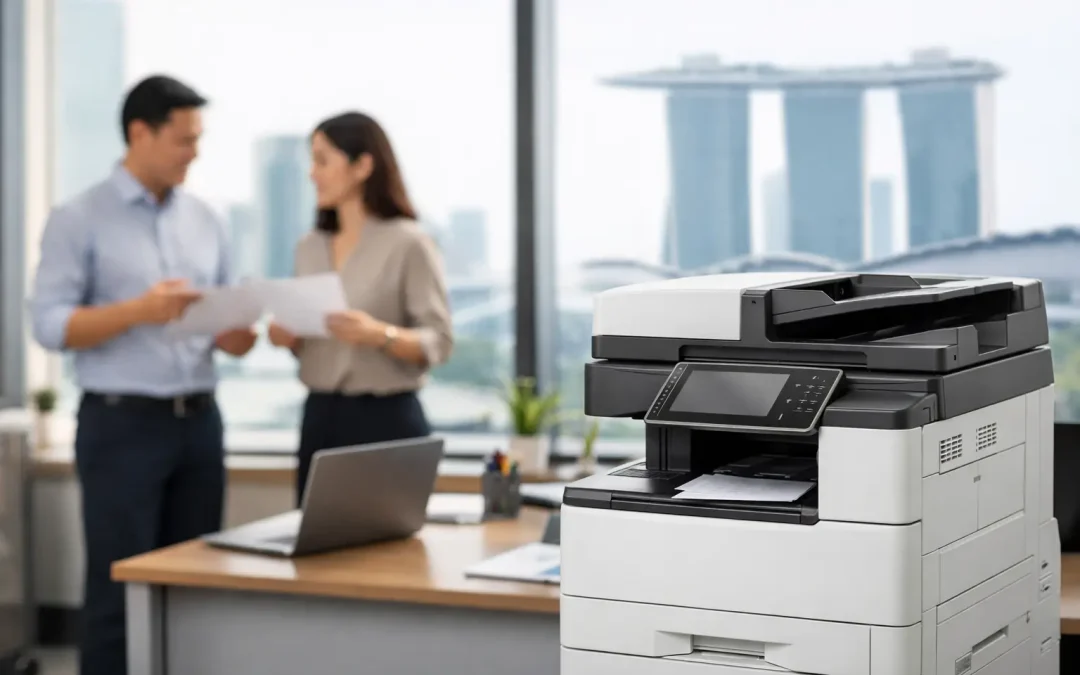
A Fujifilm copier Singapore businesses choose is rarely just a machine for printing invoices and scanning contracts. It becomes part of the operating system of the office. When teams can retrieve documents quickly, route scans to the right place, control print costs, and protect sensitive information, everyday administration stops slowing down revenue-generating work.
For small and mid-sized businesses, the right multifunction device should reduce friction without creating another technology problem to manage. That means looking beyond pages per minute and purchase price. The better question is: how will this device improve the way your people work today, and still support the business when volumes, teams, and requirements grow?
Start With the Workflow, Not the Copier
A copier is often selected when an old device fails or print costs become frustrating. That is understandable, but it can lead to a like-for-like replacement that leaves deeper inefficiencies untouched. Before comparing models, map what happens to documents after they enter the office.
An accounting team may scan supplier invoices, send them for approval, and file them by project. A construction firm may print drawings, scan site records, and distribute revised documents to several parties. A professional services team may need secure follow-me printing because client information cannot be left on an output tray. Each scenario calls for a different configuration.
A Fujifilm multifunction device can print, copy, scan, and distribute documents from one central point. Its value rises when these functions are configured around real processes. Scan-to-email may be sufficient for a small team with simple filing. For a business processing high document volumes, scan-to-network folders, cloud destinations, searchable PDF formats, and automated naming rules can save substantial administrative time.
Questions worth answering first
Estimate average and peak monthly print volume, not just a typical week. A device that performs well during normal operations may become a bottleneck at month-end, during tenders, or before project submissions. Consider whether the team needs color output, legal-size paper, booklet finishing, high-capacity trays, or mobile printing.
Also identify who handles documents and where they work. If staff split time between the office, customer sites, and home, mobile access and cloud-connected scanning become more relevant. If departments handle payroll, customer records, or financial data, secure user authentication should be a core requirement rather than an optional extra.
What to Look for in a Fujifilm Copier Singapore SMEs Can Scale With
The best device is not automatically the fastest or most feature-packed model. It is the one sized appropriately for the business while leaving room for sensible growth.
Print speed and duty cycle
Print speed matters when several users share one machine or when large jobs are common. Yet speed alone is not a measure of suitability. Look at the recommended monthly volume and the machine’s ability to handle sustained use. A low-volume device operating near its limit can require more intervention, consume more staff time, and wear out sooner.
For a small office producing mostly internal documents, a compact multifunction printer may be the practical choice. For a growing company with multiple departments, higher paper capacity and faster output can prevent queues and repeated refilling. The aim is to match capacity to demand without paying for production-level capability the business will not use.
Scan quality and document routing
Scanning is where many offices realize the biggest productivity gains. A good document feeder allows staff to digitize multi-page files quickly, while duplex scanning captures both sides of a document without manual handling. Optical character recognition can make scanned files searchable, which is especially useful when teams must locate agreements, purchase orders, or archived records later.
Routing options deserve equal attention. Ask whether users can send scans to authorized email addresses, shared folders, approved cloud storage, or line-of-business systems. The copier should support a clear filing process, not create a growing pile of unlabeled PDFs in individual inboxes.
Security and access control
Every printed contract, employee record, quotation, and customer file is a potential data exposure if it is mishandled. Secure print release helps prevent documents from sitting unattended. Staff send a job, authenticate at the device, and release it only when they are present.
User-level controls can also support better cost management. A business may set color-print permissions by role, monitor usage by department, or restrict administrative settings to designated users. For organizations subject to customer security expectations or internal compliance requirements, these controls offer practical accountability without making routine printing difficult.
Paper handling and finishing
Paper trays, media support, and finishing features affect how much manual work remains after a document is printed. Businesses that regularly prepare proposals, training packs, sales materials, or board papers may benefit from automatic stapling, sorting, or booklet creation. Companies printing standard forms may prioritize multiple paper sources to avoid switching stock by hand.
These details can seem minor during procurement. Over a year, however, repeated interruptions to reload trays, collate documents, or fix paper mismatches add up. A well-configured device lets employees complete common jobs correctly the first time.
Compare the Full Cost, Not Just the Purchase Price
A low upfront price can be attractive, particularly for a lean business. But the real cost of a copier includes consumables, servicing, downtime, energy use, and the hours employees spend managing avoidable issues.
Flexible device plans can make costs more predictable by combining equipment access, maintenance, and usage terms into a clearer monthly commitment. Buying may make sense for companies with stable needs and capital available. A plan may be more suitable for businesses that want to preserve cash flow, refresh technology as requirements change, or avoid surprise repair expenses. There is no universal answer – the right approach depends on cash flow, expected growth, and the level of support required.
Ask for a transparent view of what is included. Clarify the cost of black-and-white and color output, whether toner is supplied automatically, what response times apply for service calls, and how replacement parts are handled. A copier is a business-critical device when payroll, tenders, delivery documents, or client packs depend on it. Support arrangements should reflect that reality.
Make the Device Part of a Larger Digital System
Printing will remain necessary for many Singapore businesses, but paper should not be the endpoint of a process. The opportunity is to connect physical documents with a more organized digital workflow.
For example, a sales coordinator can scan signed forms directly into a structured customer folder. An operations team can digitize delivery records for faster retrieval during disputes. Finance staff can route invoices into a consistent approval process rather than chasing paper files around the office. These improvements reduce duplicated data entry, shorten response times, and make information easier to find when decisions need to be made.
This is where a consultative provider adds more value than a box-moving supplier. CSS Office Solutions works with businesses to align Fujifilm office devices with the processes, software, and growth priorities already shaping their operations. The goal is not to add technology for its own sake. It is to build a practical system that amplifies productivity and gives the team more time for customers, projects, and growth.
Plan for Adoption and Ongoing Management
Even an excellent device underperforms if employees do not know how to use its time-saving features. A short onboarding session can make a measurable difference. Staff should understand secure printing, common scan destinations, paper-loading procedures, and the right contact point when an issue occurs.
Assign internal ownership as well. Someone should review usage patterns periodically, especially as the business changes. If color output rises sharply, scan folders become cluttered, or a department continually experiences print delays, those signals can guide adjustments before costs or frustration escalate.
A copier should not force your team to work around it. Choose a Fujifilm solution that reflects how documents move through your business, supports disciplined digital processes, and has the capacity to grow with your next stage of operations.