
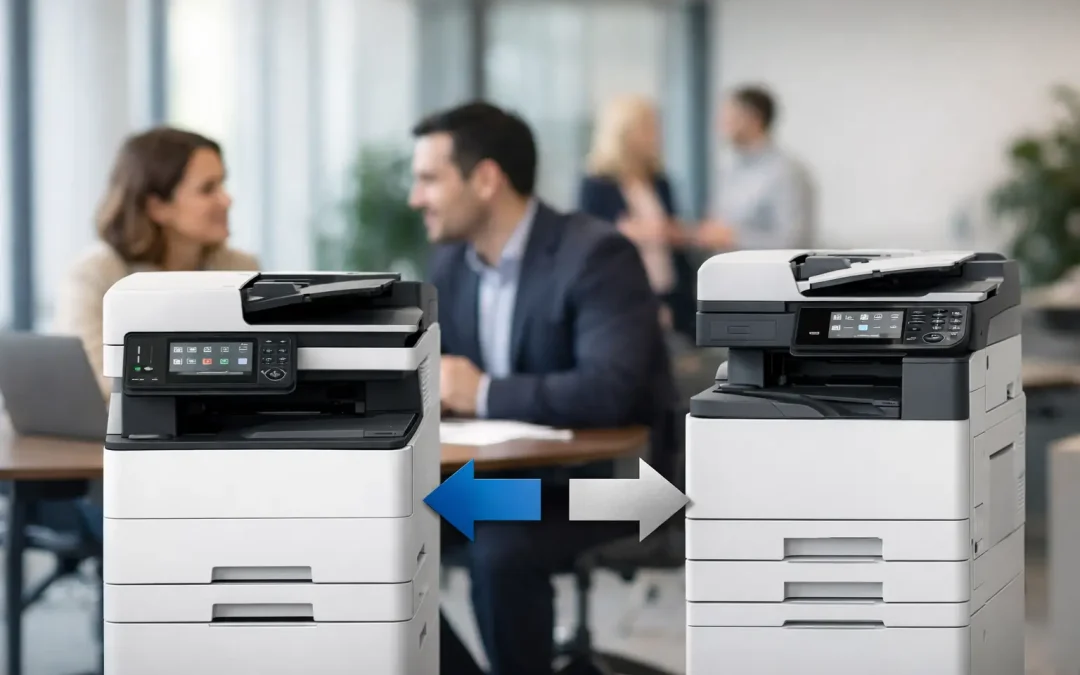
A multifunction printer decision can quietly shape the pace of an entire office. When invoices wait to be scanned, teams struggle with driver issues, or confidential files sit unsecured at the device, the cost is more than paper and toner. In a Fujifilm Apeos vs competitors comparison, the real question is which platform reduces those daily points of friction while supporting the way your business plans to grow.
For small and mid-sized businesses, the right choice is rarely the machine with the lowest upfront price or the longest feature list. It is the device, service model, and workflow setup that make document work easier to control. Fujifilm Apeos devices deserve consideration for businesses that want capable print, scan, copy, and document-routing functions in one managed platform. But Canon, Ricoh, Konica Minolta, Xerox, and HP can also be strong choices in the right environment.
Fujifilm Apeos vs Competitors: What Should You Compare?
Apeos is Fujifilm’s office multifunction device family, covering compact office models through higher-volume color and monochrome systems. Exact capabilities vary by model, so a meaningful comparison starts with your monthly print volume, preferred paper sizes, color requirements, scan destinations, and security policy.
Many businesses compare headline print speeds first. That matters for a busy finance, logistics, or customer service team, but it should not be the only measure. A device that prints quickly but creates bottlenecks when scanning contracts, releasing secure jobs, or ordering consumables will still drain staff time.
The better benchmark is operational fit. Can your staff scan directly to approved folders or cloud destinations? Can managers limit color printing where needed? Can users authenticate at the panel before sensitive documents are released? Can your provider configure the device around existing processes instead of asking your team to change everything for the printer?
Print quality and media flexibility
Fujifilm Apeos color models are often a compelling fit for SMEs that produce client-facing material in-house, including proposals, training packs, presentation documents, simple brochures, and branded notices. Color consistency, readable text, and support for suitable paper stocks can reduce the need to outsource every short-run document job.
Canon and Xerox are also frequently considered where businesses place a high value on color output and document presentation. Konica Minolta is commonly shortlisted by organizations with regular marketing collateral or heavier color workloads. The deciding factor is not a brand label. Ask to see output using your own files, especially documents with fine text, gradients, photographs, and company colors.
For offices where nearly everything is black-and-white – such as forms, delivery orders, and internal reports – a monochrome-focused device from Fujifilm, Ricoh, HP, or another established provider may produce a better cost-per-page outcome. Paying for advanced color capability that your team rarely uses does not maximize value.
Scanning and workflow capability
This is where an office device can become a practical digitization tool rather than a copier. Apeos devices can support scan workflows that route documents to email, network folders, USB storage, and selected cloud or document-management environments, depending on model and configuration. For a business still processing paper-heavy purchase orders, signed forms, HR records, or customer files, fast and accurate scanning can reclaim significant administrative time.
Ricoh and Konica Minolta are well regarded in many document-workflow deployments, particularly when businesses need integration, capture rules, or advanced document solutions. Xerox also offers broad workflow options. HP may be a practical contender for simpler office environments with lower volumes and a preference for familiar print management tools.
The key distinction is implementation. A powerful scanning menu is not the same as a useful workflow. Your staff should be able to press a clearly labeled shortcut such as “Scan to Accounts” or “Send to Project Folder,” then have the file arrive in the right location with a logical name. That level of configuration prevents the common problem of documents piling up in inboxes with names like Scan001.pdf.
Security Is a Business Requirement, Not an Add-On
Printers and multifunction devices process payroll documents, customer records, quotations, contracts, and financial statements. They belong in the same security conversation as laptops and file-sharing platforms.
Fujifilm Apeos devices can include features such as user authentication, secure print release, access controls, encryption options, and audit capabilities, subject to the model and setup. These controls help businesses reduce accidental exposure, particularly in shared offices where printouts may otherwise be collected by the wrong person.
Competitors offer similar protections. Ricoh, Canon, Konica Minolta, Xerox, and HP all have security capabilities across relevant product lines. The difference usually comes down to what is included, what must be configured, and whether the vendor actively helps your business apply the settings. A secure device left on default settings is not a security strategy.
During evaluation, ask practical questions. Can staff release jobs with a PIN, card, or directory login? Can administrators disable unused functions? Is the hard drive or stored data handled appropriately at end of lease? Are firmware updates and security settings part of the ongoing support arrangement? Clear answers are more valuable than a generic claim that a device is “secure.”
Total Cost Matters More Than Purchase Price
A lower-cost machine can become expensive when toner pricing is unclear, service response is slow, or the device is undersized for the workload. Conversely, a higher-spec device may be unnecessary if your office only prints a few hundred pages each month.
When comparing Fujifilm Apeos with competitors, calculate the full operating picture: device purchase or monthly plan, estimated cost per black-and-white and color page, toner coverage assumptions, service labor, replacement parts, delivery charges, and any early termination terms. Also clarify what happens when print volumes exceed the agreed allowance.
Managed print plans can make costs easier to forecast, especially for growing teams that need dependable support without a large capital purchase. The right plan should be sized to realistic usage, not an optimistic estimate made before your next hiring phase or new project rollout.
There is also a less visible cost: employee interruption. If an administrator spends 20 minutes resolving print failures, searching for scanned files, or calling multiple vendors, that lost time compounds across the year. A device plan backed by accountable local support can justify a modest premium when it keeps business operations moving.
Service Support Can Decide the Better Brand
The best hardware brand on paper may not be the best choice if the service experience is weak. This is particularly true for Singapore SMEs with lean admin and IT teams. When the multifunction device goes down before a tender submission, payroll run, or client meeting, your business needs a provider that understands the urgency.
Evaluate the provider as closely as the device. Ask about response targets, loan-unit options, remote diagnostics, consumables monitoring, technician coverage, and who owns escalation when a workflow fails. A consultative provider should also review how departments use the machine after installation, rather than treating deployment as the end of the relationship.
CSS Office Solutions can help businesses assess Fujifilm Apeos devices within a wider operational plan – connecting device selection with document workflows, bespoke software requirements, and hosting arrangements where appropriate. That approach is valuable when the goal is not simply to replace an aging copier, but to reduce the manual steps around it.
Which Businesses Are Best Suited to Fujifilm Apeos?
Fujifilm Apeos is often a strong option for organizations that need dependable daily document production and want room to improve scanning, access control, and print governance over time. It can suit professional services firms managing client records, construction and engineering teams handling drawings and project files, education providers producing training material, and trading or logistics businesses processing invoices and delivery documents.
A competitor may be a better fit when a specific requirement leads the decision. A company deeply standardized on a particular print-management ecosystem may prioritize compatibility. A design-heavy team may prefer the color characteristics or finishing options of another shortlisted device. A very small office with low print volume may be better served by a simpler, compact model rather than an enterprise-style multifunction device.
That is why a brand-versus-brand scorecard should never replace a needs assessment. Start with the documents your business handles, the people who handle them, and the delays they encounter. Then test the shortlisted devices against real output, real scan destinations, real user permissions, and a transparent service proposal.
The most productive office device is the one your team barely has to think about: it produces professional work, sends information where it needs to go, protects sensitive documents, and gives your people more time for customers and growth.